

What is Carrier Volume Balancing?
Carrier Volume Balancing is the practice of managing parcel volume across carriers to meet contractual commitments, maintain negotiated discount tiers, and prevent over-allocation to any single carrier. Rather than selecting the lowest-cost option for every shipment, carrier volume balancing considers package counts, spend commitments, service requirements, and carrier agreements to optimize long-term transportation costs.
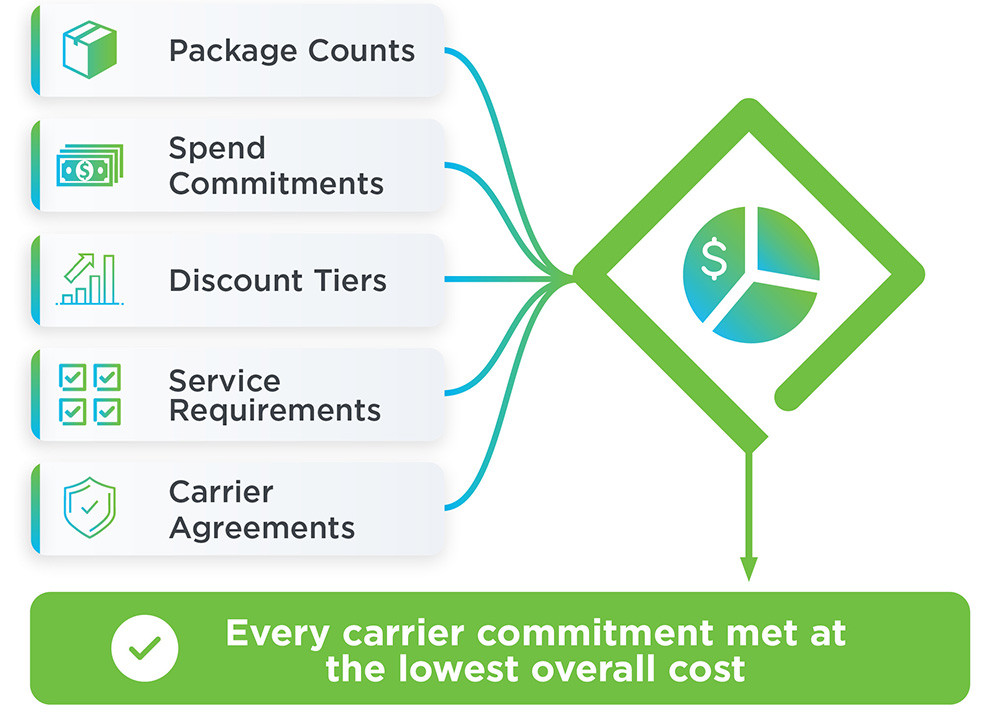
Why You Need to Go Beyond Rate Shopping
Pure rate shopping doesn't account for carrier contracts. Minimums go unmet, maximums are exceeded, and spend commitments drift, quietly eroding the discounts your contracts were built to protect. Manual oversight catches problems after the fact. One-off coded implementations are expensive to maintain and impossible to scale.
For IT, that means a growing backlog of bespoke CVB configurations with no shared foundation and no visibility into what changed or why. For logistics and ops pros, it means carrier performance reviews full of uncomfortable conversations.
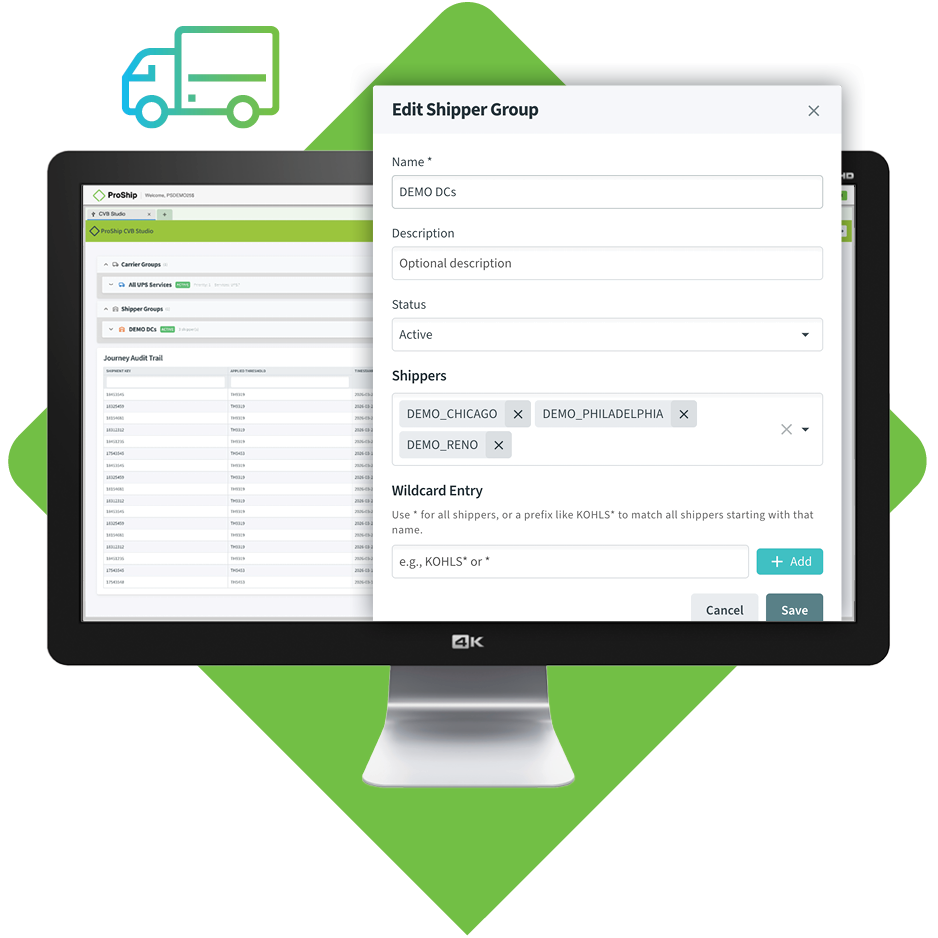
Meet Your Carrier Commitments. Without the Custom Code.
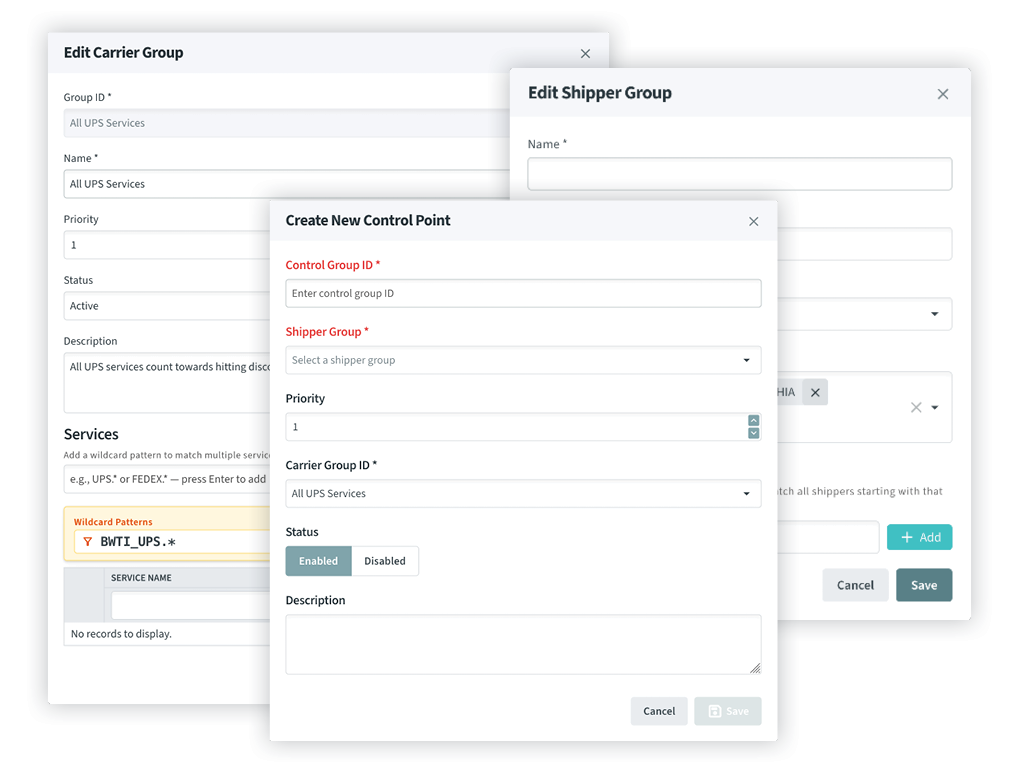
Before CVB Studio, every ProShip customer's volume balancing was a custom engineering project. No two implementations worked the same way, and none of them gave the business team visibility into what was happening. CVB Studio replaces all of that with a standardized configuration layer. Your team sets carrier groups, thresholds, and priorities through a browser UI. The system enforces them during rate shopping in real time. And the Journey Audit Trail shows you exactly which threshold drove every decision.
Key Features of CVB Studio
Carrier and Shipper Groups
Define carrier/service groupings with wildcard matching and organize shippers by fulfillment origin so that your balancing rules apply consistently across every shipping point.
Control Points and Thresholds
Link shipper groups and carrier groups at a configurable intersection. Set minimum and maximum targets by package count or spend. Assign priority order so the system knows which thresholds to evaluate first.
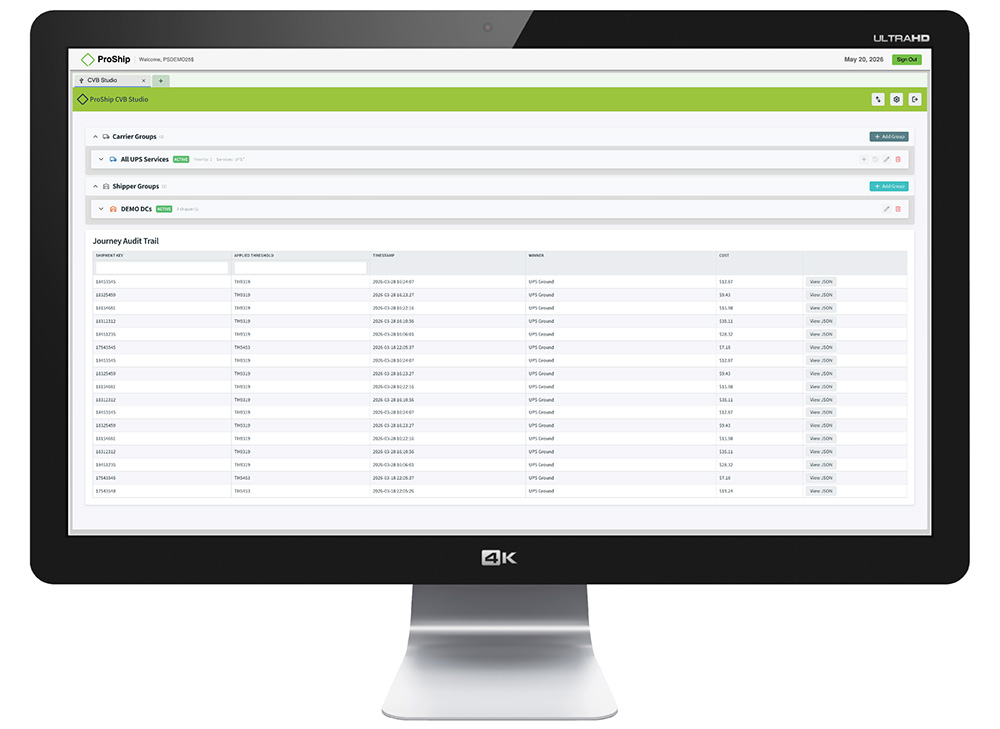
Journey Audit Trail
Every shipment decision is logged: which threshold applied, which carrier won, and whether standard rate shopping or CVB logic drove the result. When a carrier rep asks why their volume dropped last week, you have the answer. Raw JSON output available for deep inspection.
Import and Export
All configuration objects, including carrier groups, shipper groups, control points, thresholds, can be exported to CSV and re-imported for bulk edits, backups, or replication across server environments.
Centralized Authentication
Shares the same authentication service as ADS Studio and Unified, with SSO support via providers like Entra. No separate auth configuration per application.
ILS Extension
A standardized CVB ILS extension replaces individually coded implementations with a consistent, reusable foundation, reducing engineering time and support burden across all customer environments.
Differential Threshold Logic
When a lower-cost carrier would save enough to justify deviation from the active priority, CVB Studio evaluates the cost gap against a configurable differential threshold to protect discounts without overspending.
Differential Logic in Action
Your priority sends volume to FedEx Ground to meet a quarterly minimum. A UPS Ground rate comes back $2.15 cheaper per package, and your differential threshold is $1.50. Because the savings clear the threshold, CVB Studio allows the switch. You save on that shipment without putting your FedEx discount tier at risk.
How CVB Studio Works
1. A rate shop request is received and processed through the ProShip EQS engine, which performs the initial sort.
2. CVB Studio evaluates active control points and checks whether minimum or maximum thresholds apply.
3. If thresholds are active, the system identifies the highest-priority threshold and filters the rate results accordingly. Differential threshold logic determines whether cost savings justify deviation.
4. Adjusted rate results are returned and logged in the Journey Audit Trail for full shipment-level visibility.
Request Received
Rate shop request enters the CVB process.
Control Point Check
Check for active CVB rules.
Threshold Evaluation
Apply min/max threshold requirements.
Differential Test
Compare costs against active thresholds.
Results Returned
Filtered carrier and service options.
The Case for CVB Studio

For Logistics and Ops Teams
Your carrier contracts include volume minimums that trigger quarterly discount tiers. CVB Studio monitors package counts in real time and automatically filters the carrier mix when you are trending below threshold, so you hit your commitments without manual intervention or after-the-fact corrections.

For IT Teams
Every customer environment used to require a custom-coded CVB implementation. CVB Studio replaces that with a standardized ILS extension and a governed UI, reducing implementation time, eliminating one-off support tickets, and giving your team a single auditable interface instead of a folder of bespoke scripts.
FAQ About CVB Studio
Does CVB Studio replace our existing CVB implementation?
For customers currently using a custom-coded CVB approach, CVB Studio and the standardized ILS extension are designed to replace that with a consistent, maintainable foundation.
Can we configure thresholds for both package count and spend?
Yes. Thresholds can be set by package count or spend, and differential threshold logic lets you define how much cost variance justifies deviation from a priority carrier.
Does it work across multiple fulfillment points?
Yes. Shipper Groups allow you to group multiple shipping origins and apply the same volume balancing rules consistently across all of them.
How do we audit which threshold drove a shipping decision?
The Journey Audit Trail logs every shipment with the applied threshold, the winning carrier, and whether CVB logic or standard rate shopping drove the result. Raw JSON is available for deep inspection.

Does CVB Studio require separate authentication setup?
No. It shares the same auth service as ADS Studio and Unified, including SSO support via Entra.
What’s the difference between Rate Shopping and Carrier Volume Balancing?
Rate shopping compares shipping rates and transit times on a per package basis, whereas Carrier Volume Balancing looks at the sum of all your shipments to make sure volumes are in compliance with each carrier’s discount programs.
| Traditional Rate Shopping | Carrier Volume Balancing |
|---|---|
| Chooses lowest immediate cost | Balances cost and carrier commitments |
| May violate contract thresholds | Enforces carrier volume targets |
| Focuses on shipment-by-shipment savings | Protects long-term carrier discount programs |
| Limited auditability | Full shipment-level audit trail |
| Often requires manual review | Automated threshold management |
Learn more about ProShip's Carrier Volume Balancing
View the Carrier Volume Balancing brochure to see how ProShip helps shippers spread parcel volume across carriers to meet contract minimums, maximums and spend commitments, so they keep their negotiated discount tiers without giving up savings on every shipment.
Ready to Bring Your Carrier Commitments Under Control?
Connect with a ProShip Parcel Shipping Expert to learn more.